
 By
By 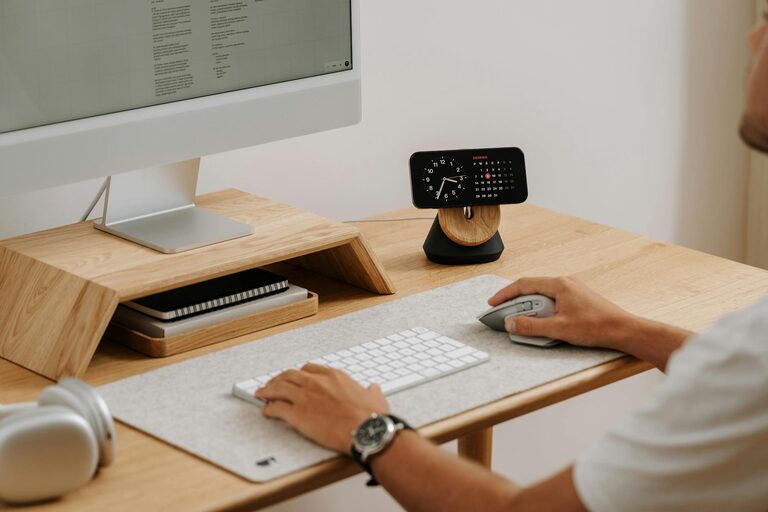
Creating a home office that feels both cozy and productive is essential for anyone working remotely or managing tasks from home. A well-designed workspace can boost your focus, reduce stress, and even enhance creativity. Whether you’re setting up a new office or refreshing an existing one, these tips will help you create a space where you can work comfortably and efficiently.
Choose the Right Location
Find a Quiet Spot
Select a part of your home that is as quiet as possible, away from high-traffic areas like the living room or kitchen. A peaceful environment reduces distractions, helping you maintain concentration.
Consider Natural Light
Position your desk near a window to take advantage of natural light. Exposure to daylight improves mood and energy levels, making your workspace more inviting. If natural light is limited, invest in good quality lighting to brighten the area.
Invest in Comfortable Furniture
Ergonomic Chair and Desk
Comfort is key to productivity. Choose an ergonomic chair that supports your back and encourages good posture. Pair it with a desk at the right height to prevent strain on your wrists and shoulders.
Personalize Your Desk Setup
Adjust your monitor to eye level, use an external keyboard if needed, and keep frequently used items within reach. This reduces unnecessary movement and helps maintain focus.
Create an Organized Environment
Declutter Regularly
A cluttered workspace can lead to a cluttered mind. Keep only essential items on your desk and store the rest in drawers or shelves. Regularly tidy up to maintain a clean and inviting space.
Use Storage Solutions
Invest in organizers such as trays, boxes, or filing cabinets to keep paperwork and supplies neatly arranged. Labeling storage can save time when searching for documents or tools.
Add Cozy Elements
Soft Textiles
Add a small rug, cushions on your chair, or a throw blanket nearby. These elements bring warmth and comfort, making the space feel more inviting.
Personal Touches
Include items that inspire you, like photos, plants, or artwork. A few personal touches can make your home office feel welcoming without distracting you.
Optimize for Productivity
Set Boundaries
Clearly define your work area to signal your brain it’s time to focus. Avoid working from bed or the couch if possible, as this can blur boundaries between work and relaxation.
Schedule Breaks
Incorporate short breaks throughout your workday to stretch, hydrate, and rest your eyes. This helps maintain energy and prevents burnout.
Use Technology Wisely
Limit notifications, use productivity apps, and ensure your internet connection is stable. Technology should support your work, not interrupt it.
Pay Attention to Air Quality and Temperature
Good ventilation and comfortable temperature levels impact your ability to work well. If possible, open a window regularly for fresh air or use an air purifier. Adjust heating or cooling to keep the room at a temperature where you feel comfortable, typically between 68 and 72 degrees Fahrenheit (20–22 degrees Celsius).
Keep Healthy Habits in Mind
Incorporate Movement
Try a standing desk or alternate between sitting and standing to reduce fatigue. Simple stretching exercises during breaks can also improve circulation and focus.
Stay Hydrated and Nourished
Keep a water bottle nearby and snack on healthy options during work hours to maintain energy levels.
Final Thoughts
Designing a cozy and productive home office takes intentional planning, but the benefits are well worth the effort. By creating a dedicated, comfortable, and organized workspace, you set yourself up for success whether you work full-time from home or just need a spot for occasional tasks. Remember that small personal touches and ergonomic choices can greatly enhance your daily work experience.
Start with one or two changes, and build up your ideal space gradually. This will help you avoid feeling overwhelmed and ensure your home office truly meets your needs. Happy decorating and productive working!